
HP AI Smart Printing Feature: Optimize Print Formatting to Reduce Ink and Paper Waste
Discover how the new HP AI smart printing technology helps optimize print formatting, clean up messy web pages, eliminate ads, and drastically reduce costly printer ink and paper waste.
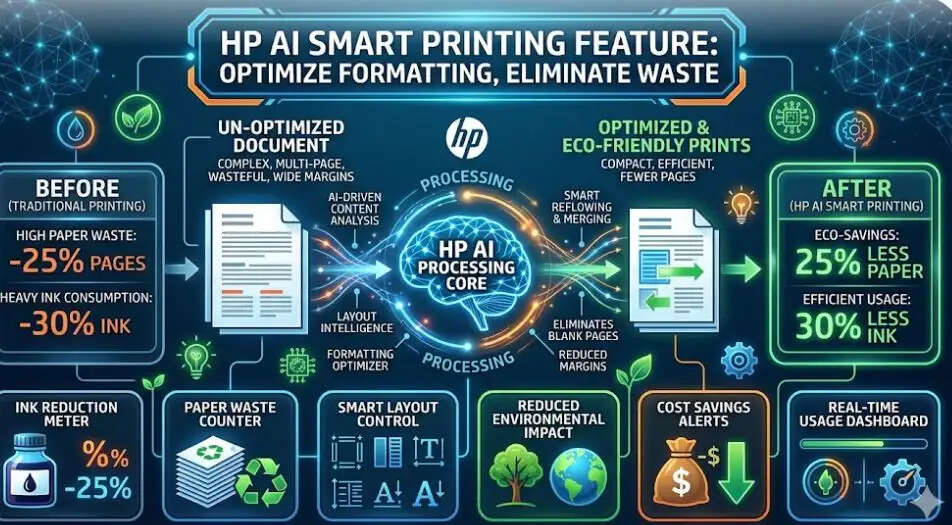
HP AI Smart Printing Technology Revolutionizes Document Management
The future of printing has officially arrived with the introduction of HP AI smart printing software, designed to eliminate common printing frustrations.
Consumers globally are constantly looking for ways to reduce printer ink waste and stop throwing away paper on unwanted page elements.
HP’s latest artificial intelligence deployment addresses these exact economic and environmental pain points by integrating advanced AI print formatting software right into the operating system's print pipeline.
How to Optimize Print Formatting Using Artificial Intelligence
If you have ever tried to print a web article, online recipe, or email, you know how sidebar advertisements, cluttered logos, and broken comment sections can destroy your layout.
The new HP AI-powered printing feature intuitively reads web data to automatically clean up and streamline layouts before the ink hits the paper.
By applying automated layout optimization algorithms, the software isolates the core text and images you actually want, stripping away resource-heavy, data-hogging digital clutter seamlessly.
Drastically Lower Your Cost of Printing: Save Up to 38% on Paper
This smart utility isn't just about cleaner-looking documents; it's a massive win for your monthly budget. Real-world performance metrics indicate that this modern system can shrink a disorganized 10-page web print down into just 2 clean pages.
This enables home offices and corporate enterprises to cut down on raw paper consumption by up to 38%. Additionally, minimizing layout sizes means you efficiently save up to 47% on genuine printer ink and toner cartridges by avoiding dark, unnecessary graphics.
Advanced AI Features: Automated Summaries and Editable Scans
Beyond just raw text layout adjustments, the ecosystem elevates broader office productivity. The integrated tool handles smart workflows like:
-
Instant Document Summaries: The software automatically evaluates scanned attachments to compile high-quality summary emails.
-
Smart File Searching: Instantly converts flat physical papers into fully searchable and interactive PDF text files.
-
Editable Office Conversions: Quickly turns standard image scans into fully modifiable Microsoft Word, PowerPoint, or Excel spreadsheets.
System Requirements and How to Enable HP AI Print Drivers
To experience this breakthrough utility, users will require an updated Windows 11 operating system, a compatible HP AI-enabled smart printer, and the official brand application.
Setting it up installs a specialized driver plugin directly into your desktop browser. If you ever need to deactivate it, simply navigate through your OS settings menu to "Printers & Scanners," enter the "Printing Preferences" tab, and toggle off the default switch